




























3D Constructor
3D Constructor - Play Online
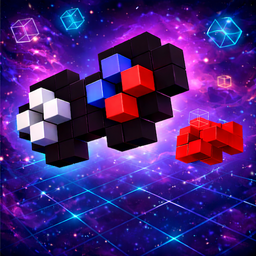
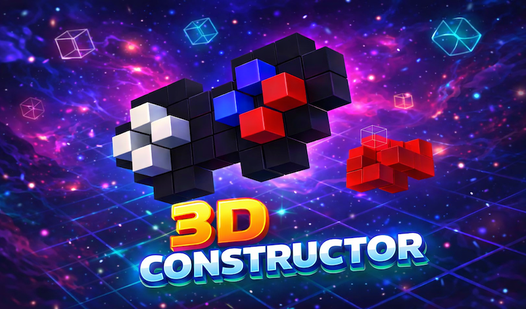
Puzzle meets spatial IQ test. 3D Constructor is all about rebuilding models. Cube by cube. Color by color. Clock's ticking.
How to Play 3D Constructor
The Goal: Look at the target model. Memorize it. Rebuild it perfectly in the construction zone. Shape? Match it. Colors? Match them. Before the timer hits zero. That's it.
Building the Model
Rotate the scene with your mouse. Inspect every angle. Pick a color from the bottom palette. Click an empty placeholder. Boom. Cube placed. Wrong cube? Click it again to remove. Made a mistake? Hit Undo. Simple loop: Observe. Place. Check. Adjust.
Beating the Clock
Multiple difficulty levels mean tougher models. More cubes. More colors. Less time. Start with easy layouts. Master the basics. Progress unlocks harder challenges. Timer pressure forces fast decisions. Plan your moves. Don't waste clicks.
Pro Strategy
Rotate constantly. Check the model from all sides before placing anything. Count cubes in each layer. Match the base layer first. Build upward. Use Undo liberally. One wrong cube ruins everything. Focus on color patterns. Group similar shades mentally. Speed comes from accuracy, not spam-clicking.
Key Features
- Multiple Difficulty Levels: Start easy. Scale to brain-melting complexity.
- Color Matching System: Not just shape. Every cube's color must be exact.
- Mouse Camera Controls: Smooth 360° rotation. See every angle clearly.
- Undo Function: Fix mistakes instantly. No penalty for trying.
- Progress Feedback: Real-time tracking shows how close you are to completion.
- Timer Challenge: Race against the clock. Adds pressure to every placement.
Who is 3D Constructor for?
Perfect for puzzle addicts. Great for testing spatial reasoning. Ideal for quick mental workouts. Fans of attention games and mind games will love the focus required.
Release Date & Developer
3D Constructor was developed by PollyGamesStd. Released April 23, 2026.
Controls
- Mouse Drag: Rotate camera view
- Left Click (Placeholder): Place selected cube
- Left Click (Placed Cube): Remove cube
- Color Palette Click: Select cube color
- Undo Button: Revert last action






![Obby: Dangerous Disaster Challenges [25M+]](https://static.playgama.com/p-img/ph/obby-dangerous-disaster-challenges-25m/icon/041c6fc5b11c43e3ae07d52bae51e25b?width=218)