




































Classic Sudoku
Classic Sudoku - Play Online
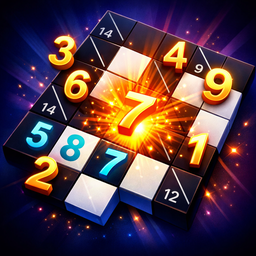
Brain training? This is it. Classic Sudoku delivers the world's most popular logic puzzle straight to your browser. No fluff. Just a 9×9 grid, numbers 1-9, and pure mental focus. Fill it right. Win.
How to Play Classic Sudoku
The goal is simple: Fill the entire 9×9 grid. But here's the catch. Each row must contain digits 1-9 with zero repeats. Each column follows the same rule. And every 3×3 subgrid? Same deal. One mistake ruins the whole puzzle. That's the beauty.
Core Mechanic - Fill the Grid
Click an empty cell. Enter a number using your keyboard. Move with arrow keys. On mobile? Tap the cell. Use the on-screen number pad. Easy. Select ERASE to clear a bad move. Hit UNDO to rewind your last step. Made a critical error? Use the HINT button. Watch a short ad. Game drops the correct number into a cell. Random placement unless you've pre-selected one.
Progression System - Difficulty & Time
Start with Easy puzzles. Get comfortable. Move to Medium. Then Hard. Your score depends on two things: difficulty level and completion time. Faster solves on tougher grids earn bigger points. Every win gets saved to the global leaderboard. Track your rank. Beat your personal best. The timer starts the moment you begin.
Strategy - Master the Grid
Focus on rows and columns with the most prefilled numbers. Easier to deduce. Scan 3×3 subgrids aggressively. Cross-reference horizontal and vertical lines. Stuck on a cell? Skip it. Come back after filling adjacent zones. Use the NOTES feature to mark possible candidates. Don't guess randomly. That's amateur hour. Hints cost ads. Save them for desperate situations.
Key Features
- Three Difficulty Tiers: Easy. Medium. Hard. Scale matches skill level.
- Minimalist Visuals: Light and dark modes. Clean 2D vector graphics. Zero distractions. Runs lag-free on any browser.
- Utility Controls: Undo. Erase. Notes. Hint system (ad-rewarded). Full keyboard support on PC.
- Global Leaderboard: Submit scores. Compare times. Compete worldwide.
- Responsive Touch Controls: Large buttons. Mobile-optimized. Portrait or landscape.
Who is Classic Sudoku for?
Perfect for puzzle veterans. Ideal for beginners learning logic games. Great for 5-minute brain breaks or 20-minute deep sessions. Anyone with a browser can play. No downloads. No installations. Just click and solve.
Release Date & Developer
Classic Sudoku was developed by Kot ili ne kot. Released on March 7, 2026.
Controls
- Mouse/Tap: Select cell
- Keyboard (1-9): Enter number
- Arrow Keys: Navigate grid (PC)
- ERASE Button: Clear selected cell
- UNDO Button: Reverse last move
- HINT Button: Watch ad for correct number