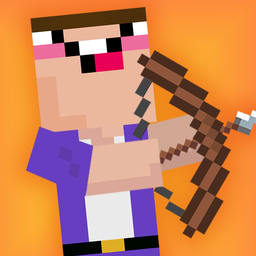























Noob vs 1000 Zombies: Lucky Blocks
Noob vs 1000 Zombies: Lucky Blocks - Play Online
Shoot zombies. Pop Lucky Blocks. Unlock skins. Noob vs 1000 Zombies: Lucky Blocks drops you into 2D pixel arenas where trajectory matters more than reflexes. Aim your bow, chuck dynamite, crush enemies with falling blocks—clear all zombies to advance. Each level hands you limited ammo, so chain reactions are the key. Miss your shot? Restart and rethink the angle. Three-star ratings push you to nail perfect runs. No downloads. Click and play on desktop or Android. Puzzle games that demand spatial thinking thrive in this format—calculate arcs, detonate TNT stacks, watch physics do the rest.
How to Play Noob vs 1000 Zombies: Lucky Blocks
Eliminate every zombie on screen using arrows, bombs, and gravity. On phone, tap to shoot. On computer, click the mouse. Limited ammo per level forces precision. Trigger TNT blocks to create chain explosions. Drop Lucky Blocks onto enemy heads. Progress through numbered stages, unlock Noob and Pro skins, repeat. Story mode is single-player only.
Trajectory Shooting and Ammo Management
Drag to aim, release to fire. Each arrow or dynamite stick counts. Zombies stand on platforms, behind walls, under explosive towers. Hit TNT once—boom spreads to adjacent blocks. One perfect shot clears five enemies. Waste ammo on bad angles and you'll restart from level zero. The UI shows your remaining projectiles and current star count. Maximize stars by using fewer shots.
Lucky Block Rewards and Skin Unlocks
Pop Lucky Blocks scattered across levels to reveal new character skins. Switch between Noob variants and Pro costumes mid-run. Noob vs 1000 Freddy's expands this formula with animatronic enemies if you crave more skin-hunting progression. Cosmetic upgrades don't change mechanics, but they fuel the completion grind. Collect all skins before hitting level 1000. Watch ads. Get free loot. That's the shortcut.
Physics Chains and Pro Tips
Identify which block collapses first. TNT near edges triggers avalanches. Zombies in tight clusters beg for single-bomb wipes. Aim slightly above distant targets—arrows arc downward. Dynamite sticks explode on contact, while arrows pierce through soft blocks. Some levels hide Lucky Blocks behind destructible walls—clear zombies fast to grab bonuses. Restart obsessively. Every perfect run shaves seconds off your session.
Key Features
- Limited Ammo Puzzles: Each level caps your projectiles, forcing calculated shots instead of spray-and-pray chaos.
- Voxel Aesthetic: Basic 2D pixel art with mismatched resolutions and Minecraft-inspired block textures.
- Chain Reaction Mechanics: TNT explosions, collapsing platforms, and ragdoll zombie physics turn single hits into multi-kills.
- Story Mode Progression: Battle through numbered levels toward 1000 zombie eliminations, unlocking skins as you advance.
Who is Noob vs 1000 Zombies: Lucky Blocks for?
Casual mobile gamers hunting quick bathroom-break sessions. Kids drawn to blocky Noob characters and simple explosive satisfaction. Players who enjoyed Noob vs Pro vs Stickman vs Hacker: Zombie but want stripped-down physics puzzles instead of multi-character mayhem. Fans of trajectory shooters like Stupid Zombies or Angry Birds will recognize the bones—aim, shoot, chain reactions, repeat. If you need zen vibes wrapped in zombie-crushing loops, this delivers. Blocks games lean into that meditative satisfaction, and this one rewards patience over twitch skill. Perfect for killing five minutes or fifty.
Developer
Noob vs 1000 Zombies: Lucky Blocks was developed by New Generation Games. This physics puzzle shooter blends incremental progression with trajectory-based combat, playable instantly in any browser without downloads or installations.
Controls
- Tap Screen (Phone): Aim and release to shoot arrow or dynamite.
- Mouse Click (PC): Drag to adjust angle, click to fire projectile.
FAQ
How do I unlock new skins in Noob vs 1000 Zombies: Lucky Blocks?
Pop Lucky Blocks scattered across levels. Each block drop reveals a new Noob or Pro skin. Progress further in story mode to access more block rewards. Some skins require clearing specific level milestones before they appear.
Can I play on both phone and computer?
Yes. Noob vs 1000 Zombies: Lucky Blocks runs on desktop and Android through browser access. Tap to shoot on mobile, click the mouse on PC. No platform-specific downloads required.
What happens if I run out of ammo before clearing zombies?
Level fails. You restart from the beginning of that stage. Study enemy placement and TNT positions before shooting. One well-aimed explosion often triggers chain reactions that clear multiple zombies, conserving ammo for tougher spots.
Do skins change gameplay or just appearance?
Pure cosmetics. Switching between Noob and Pro skins doesn't alter damage, ammo capacity, or level design. They exist to fuel completion-hunting and unlock progression while maintaining identical shooting mechanics across all characters.
How does the three-star rating system work?
Earn stars by clearing levels with fewer shots. More leftover ammo equals higher star count. Perfect runs using minimal projectiles grant three stars, while scraping by with your last arrow might yield only one. Stars don't unlock content but track your efficiency.
Video