



























Tile Island
Tile Island - Play Online
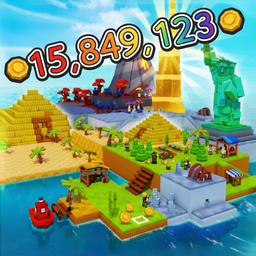
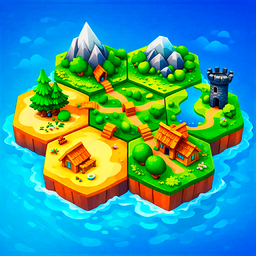
Sandbox puzzle builder? Check. Endless biome matching? Check. Tile Island drops you on an empty map with one mission: grow. Place tiles. Connect landscapes. Watch your world explode from nothing.
How to Play Tile Island
Your goal is simple: build the biggest island possible. Every tile placement counts. Match biomes perfectly. Earn points. Expand the map. Keep the chain alive. Stop when the board fills or your strategy collapses.
Place and Match
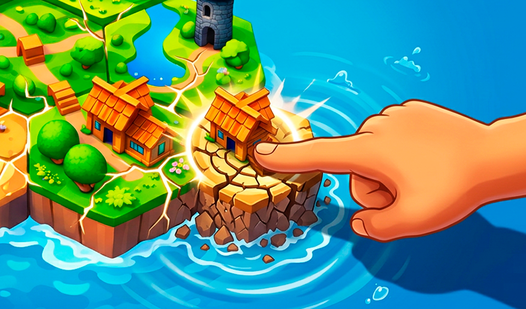
Grab a land tile. Drop it on the grid. Forest touches forest? Points. Water connects to water? More points. Fields align with fields? Combo builds. Mismatch biomes and you waste space. Each successful connection triggers growth. Map expands. New slots unlock.
Think Before You Drop
Random placement kills runs. Study the incoming tile. Scout the map for gaps. Corner spots lock you in fast. Open center zones give flexibility. Plan 3 moves ahead. One bad tile ends your streak. Match villages near mountains for bonus multipliers. Connect rivers through multiple zones to maximize scoring chains.
Build Without Limits
No timers. No energy bars. Tile Island runs until you run out of space. Every level generates a fresh map layout. New biome distributions. Different starting conditions. Beat your previous high score. Push for longer chains. The grind never stops.
Key Features
- Endless Sandbox Mode: Build forever. Maps regenerate after each run.
- 5 Core Biomes: Forests, rivers, villages, mountains, fields. Each needs strategic placement.
- Clean Tile Aesthetic: Sharp grid visuals. No clutter. Runs lag-free on any browser.
- Score-Chasing Progression: Beat your record. Compete for the longest island chain.
Who is Tile Island for?
Perfect for city-building and puzzle fans. Great for relaxing sessions or brain-training marathons. Casual players get instant satisfaction. Strategy nerds chase optimization. Desktop gamers looking for no-download entertainment.
Release Date & Developer
Tile Island was developed by Top 10. Released in March 2026.
Controls
- Mouse/Click: Select and place tiles
- Drag: Position tile before placement
FAQ
Where can I play Tile Island online?
What are the 5 biomes in Tile Island?
How do I get high scores in Tile Island?
Is Tile Island endless?
Video